 EN · United States
Workflows that follow
your process
Define the route each application and loan takes: which steps the borrower sees, which checks run, when staff step in and what happens on every event.
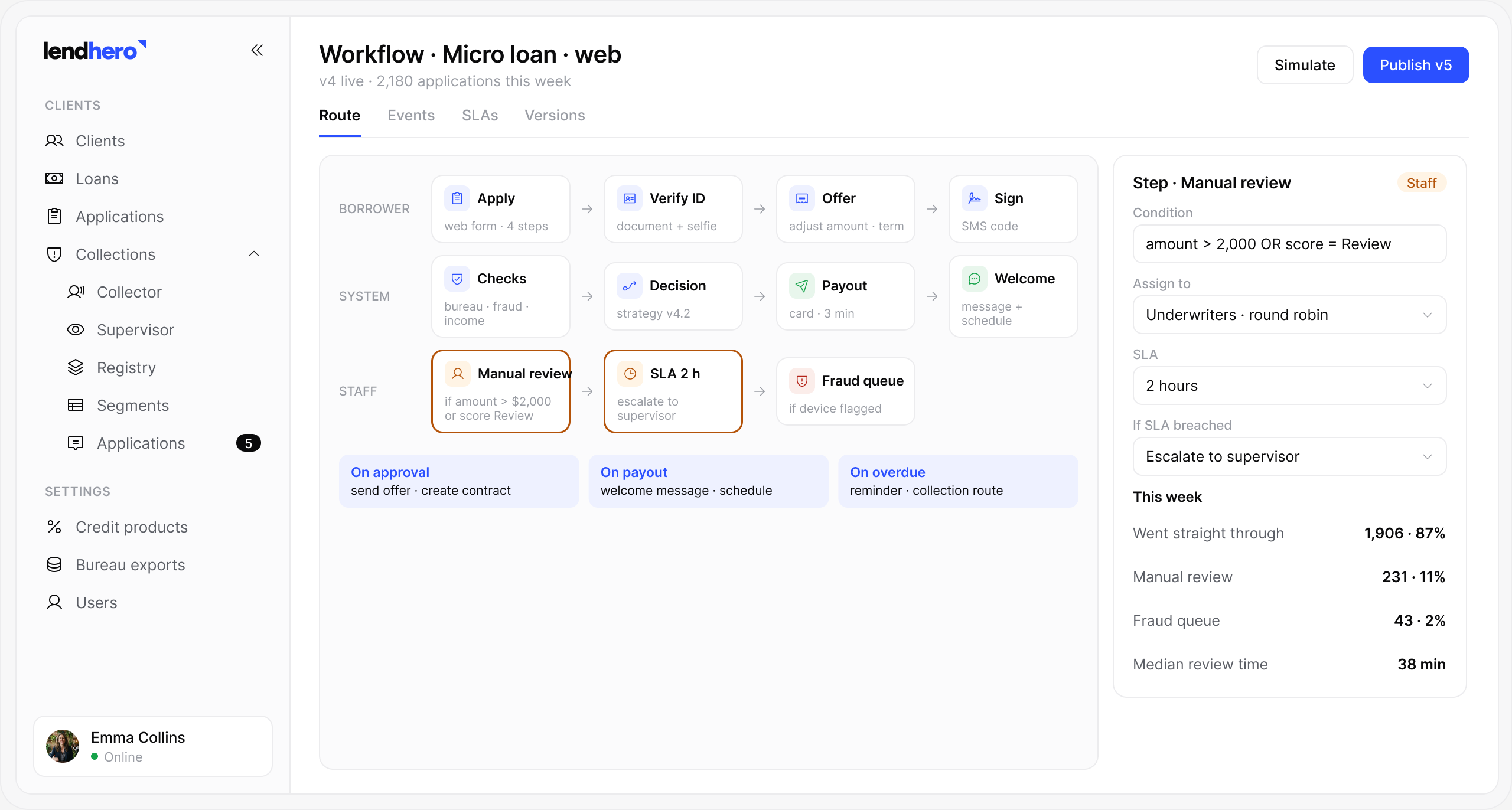
- Any
- number of steps and branches
- Events
- trigger actions automatically
- SLA
- timers with escalation
- Versions
- with safe rollback
Where it sits in the loan lifecycle
Capabilities
The route is yours,
the platform follows it
Steps and branches
Add, remove and reorder steps with conditions. A branch can depend on amount, score, product or any field in the application.
Event triggers
Actions on approval, payout, payment or overdue. Send a message, create a task, call an API or change a status.
Manual steps
Staff reviews where your policy requires. The task lands in a queue with the data and the reason attached.
Timers and SLAs
Escalate tasks that wait too long. A task that waits too long moves to a supervisor or a wider queue.
Per channel
Different routes for web, app, branch and brokers. Brokers get extra checks, the app gets fewer steps.
Versions
Change the route and roll back safely. Loans in progress finish on the version they started with.
How it works
Change a process
in minutes
- 01OpenPick the product and channel.
- 02EditAdd steps, checks and branches.
- 03TriggerAttach actions to events.
- 04TestRun test applications.
- 05PublishNew version goes live.
Manual steps
People step in only
where they add value
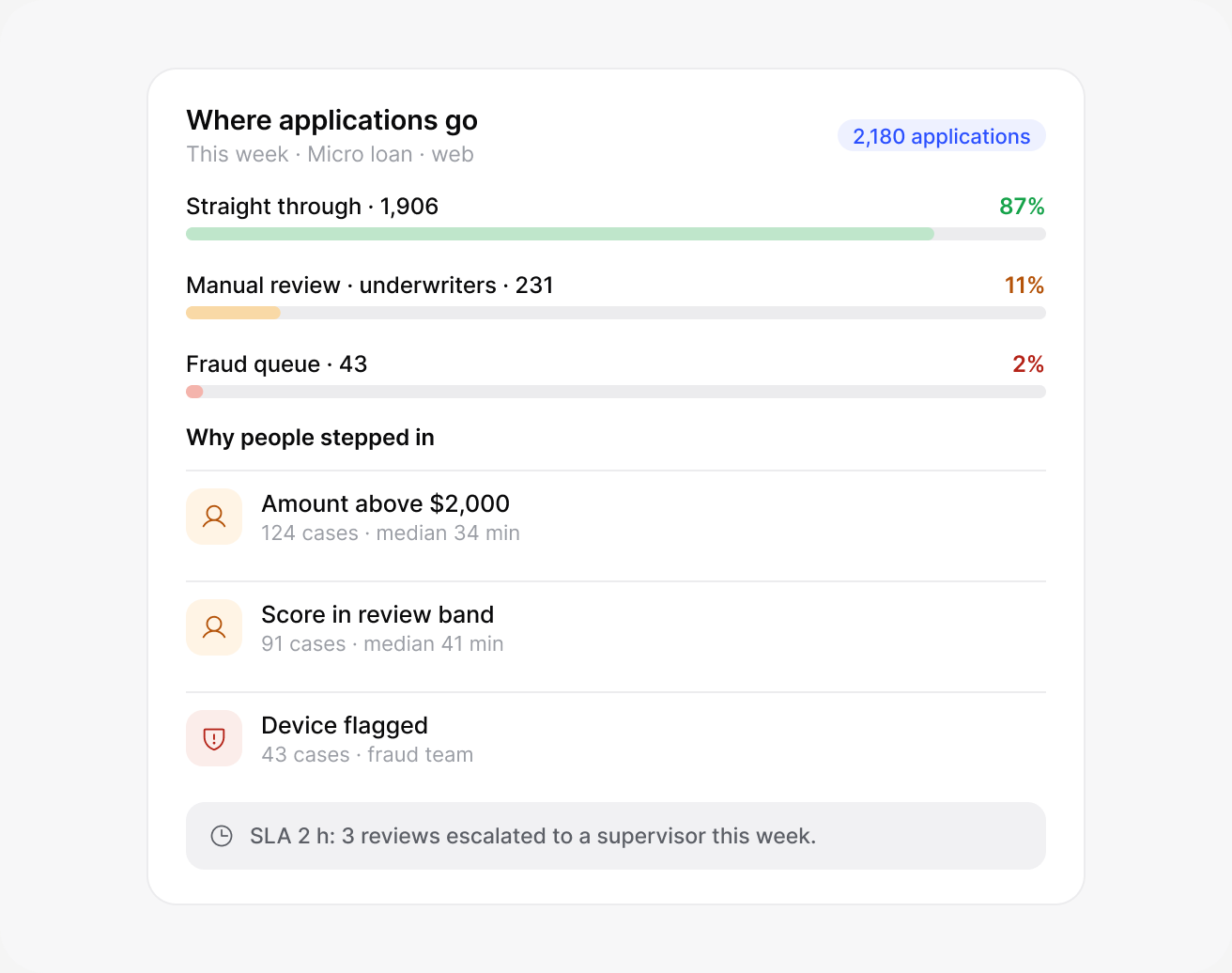
Most applications go straight through. Staff see only the cases your rules send them, with the reason and the data they need.
- Rules decide who reviewsAmount, risk, product.
- Everything in one cardNo switching systems.
- Timers on every manual stepA review that waits too long escalates by itself.
Questions
Frequently
asked
Didn’t find the answer? Write to us and we’ll reply within one business day.
Can we have different routes per channel?+–
Yes. Web, app, branch and broker applications can each follow their own route.
Can we add manual review steps?+–
Yes. Add a review step anywhere in a workflow and choose which team handles it.
What events can trigger actions?+–
Applications, decisions, payments, missed due dates, document uploads, status changes and timers.
Can we roll back a change?+–
Yes. Go back to any earlier version of a workflow in one click.
Do we need developers to change a workflow?+–
No. Workflows are edited in a visual editor in the admin panel.
Book a demo
See lendhero on your
own products
We’ll walk you through the platform, show what matters for your products and answer questions about your business.
- A 30-minute call
- A walkthrough on your products and markets
- Answers on timeline, integrations and pricing