 EN · United States
KYC and fraud prevention
in one flow
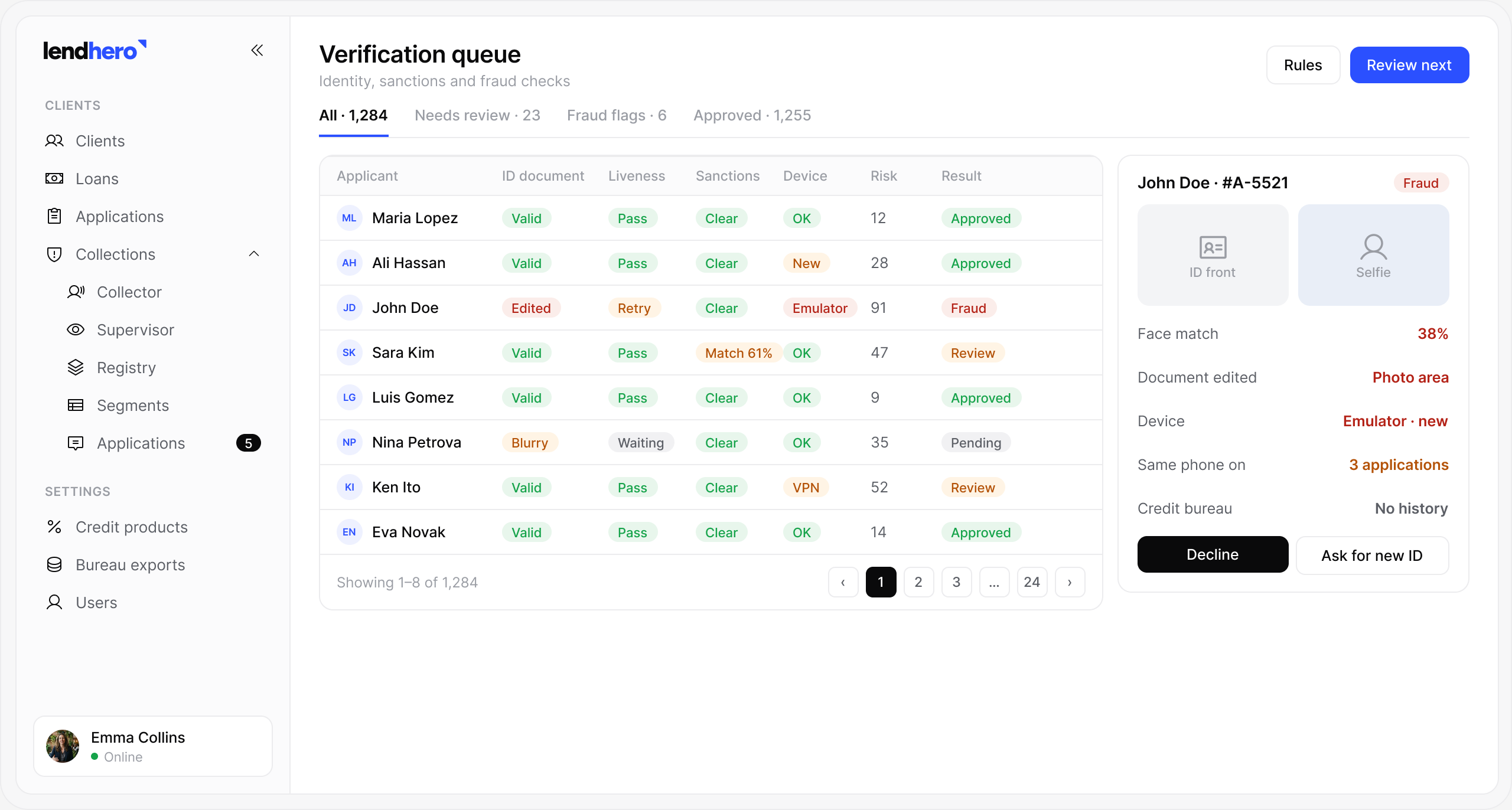
Identity, documents, bureau data and fraud signals are checked in one pass. Clean applications move on automatically; suspicious ones land in a queue with the evidence attached.
- 4-in-1
- identity, documents, bureau and fraud in a single check
- 40+
- fraud signals checked on every application
- Local
- ID registries where available
- Evidence
- attached to every flagged case
Where it sits in the loan lifecycle
Capabilities
Catch fraud early, without
slowing good borrowers
Identity verification
ID, selfie and liveness, with local ID registries.
Document checks
Payslips and statements are read automatically and compared with the form.
Linked applications
Shared phones, devices, addresses and bank accounts.
Sanctions and PEP lists
Screening against international and local watchlists.
Device and behaviour
Device fingerprint, typing patterns and location.
Review queue
Flagged cases with the evidence, for your fraud team.
How it works
Clean cases pass,
suspicious ones stop
- 01IdentityID, selfie and liveness in the form.
- 02DocumentsPayslips and statements read and compared.
- 03WatchlistsSanctions and politically exposed persons (PEP) lists.
- 04SignalsDevice, links and behaviour scored.
- 05RoutePass automatically or send to the fraud queue.
Documents
Edited payslips
don’t get through
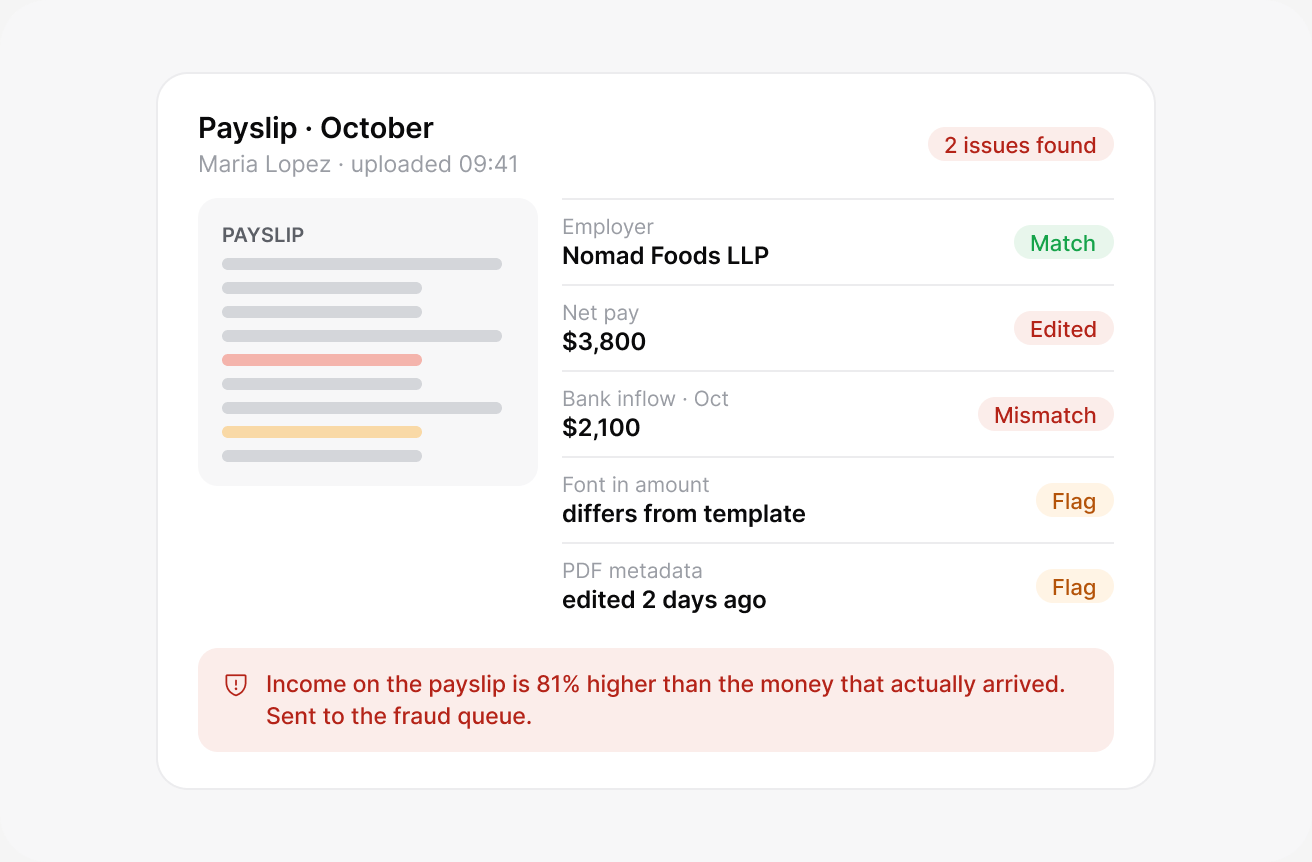
Every document is read automatically: fonts and file data are checked, and the numbers are compared with the application and bank data.
- Tampering detectionChanged fonts, edited PDFs and copied stamps.
- Cross-checksIncome on the payslip against the bank statement.
Questions
Frequently
asked
Didn’t find the answer? Write to us and we’ll reply within one business day.
Which identity providers can we use?+–
Any of the ready connectors, or your own provider through the API.
Can we set our own fraud rules?+–
Yes. Add rules for devices, duplicates, contact details and behaviour in the admin panel, and set what each rule does: flag, review or decline.
How are flagged cases reviewed?+–
Flagged applications go to a review queue with the reasons shown. A specialist checks the case and approves, declines or asks for more documents.
Do you check sanctions lists?+–
Yes. Applicants are checked against OFAC, UN, EU and local sanctions and PEP lists at onboarding and again on a schedule you set.
Is biometric data stored?+–
Only if you choose to keep it. Selfies and liveness results are stored encrypted for the period your rules require, then deleted.
Book a demo
See lendhero on your
own products
We’ll walk you through the platform, show what matters for your products and answer questions about your business.
- A 30-minute call
- A walkthrough on your products and markets
- Answers on timeline, integrations and pricing